Core Spotlight - Foundation Models - OS 27
Local RAG with Core Spotlight
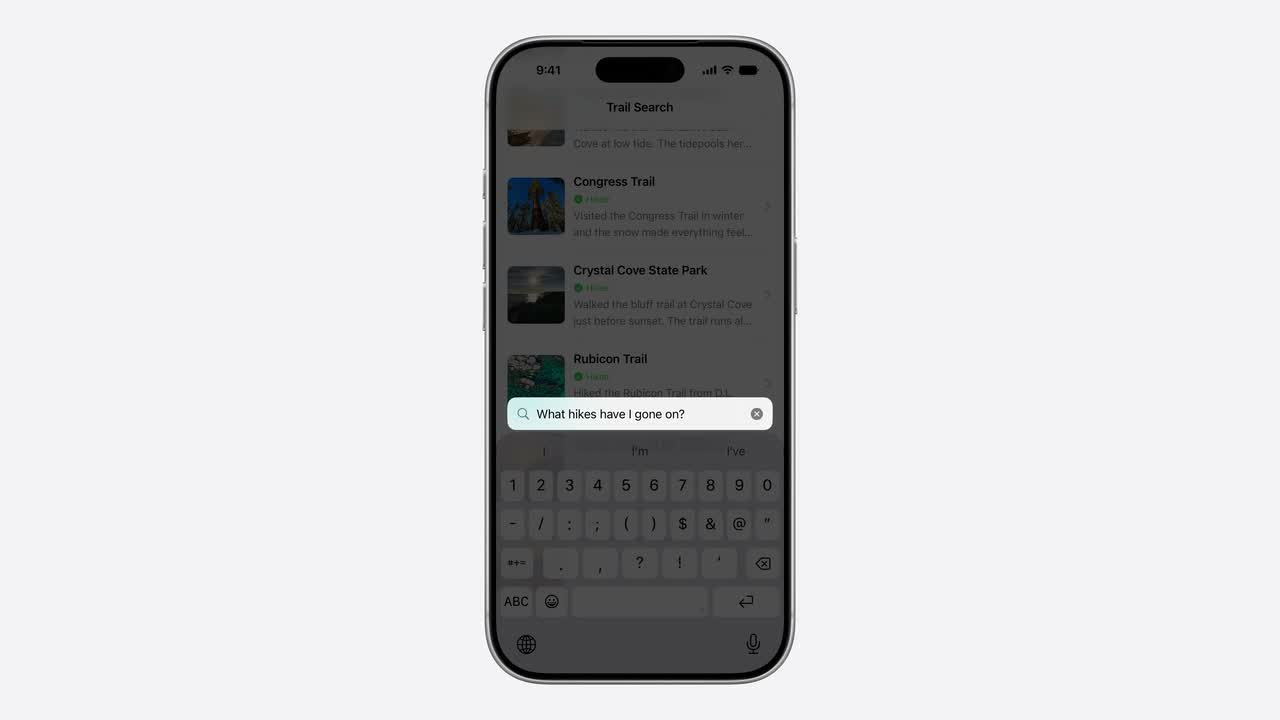
OS 27 lets an app turn its existing Core Spotlight index into retrieval context for
Foundation Models. SpotlightSearchTool gives a
LanguageModelSession a local path to app-specific notes, documents,
tasks, messages, and records without first building a server-side vector database.
Highlights
App records become CSSearchableItems with stable identifiers and meaningful metadata.
SpotlightSearchTool lets a model search app-indexed content through the tool-calling path.
An index delegate can return complete items when compact indexed text is not enough for model context.
Ground the UIRead searchResults, group replies by query token, and show source records beside the answer.
The Architecture
RAG here is not a new database. It is a retrieval path through data your app already knows how to describe. The canonical store remains your database, document package, synced model, or file system. Core Spotlight holds a searchable projection. The language model sees only the records selected for the current prompt.
App records
  -> CSSearchableItem + CSSearchableItemAttributeSet
  -> CSSearchableIndex
  -> SpotlightSearchTool
  -> LanguageModelSession
  -> answer + source records in your UI
Apple's session describes that same trajectory: the model decides that it needs the Spotlight tool, generates a search, Spotlight runs it, and the model reasons over the returned result description before producing the final response.
The older indexing side is broader. CSSearchableIndex,
CSSearchableItem, and CSSearchableItemAttributeSet
already exist in Core Spotlight. The new OS 27 piece is making that index available
to Foundation Models through SpotlightSearchTool.
Index App Content
Start with one durable, user-recognizable thing: a note, task, trip, recipe, document, thread, or ticket. Give it a stable identifier, an optional domain identifier for cleanup, an accurate content type, and enough text or metadata for retrieval to find it later.
import CoreSpotlight
import UniformTypeIdentifiers

func makeSearchableItem(from note: Note) -> CSSearchableItem {
    let attributes = CSSearchableItemAttributeSet(contentType: .text)
    attributes.title = note.title
    attributes.contentDescription = note.summary
    attributes.textContent = note.searchableText
    attributes.keywords = note.tags
    attributes.contentModificationDate = note.updatedAt

    return CSSearchableItem(
        uniqueIdentifier: "note:\(note.accountID):\(note.id)",
        domainIdentifier: "account.\(note.accountID).notes",
        attributeSet: attributes
    )
}

let index = CSSearchableIndex(name: "Notes")
let item = makeSearchableItem(from: note)

index.indexSearchableItems([item]) { error in
    if let error {
        print("Core Spotlight indexing failed: \(error)")
    }
}
Calling indexSearchableItems with the same identifier updates the
item. When the source record is deleted, remove the matching searchable item.
When a whole account, workspace, or project becomes inaccessible, delete the
relevant domain rather than leaving stale search results behind.
index.deleteSearchableItems(
    withIdentifiers: ["note:\(accountID):\(noteID)"]
) { error in
    if let error {
        print("Spotlight deletion failed: \(error)")
    }
}

index.deleteSearchableItems(
    withDomainIdentifiers: ["account.\(accountID).notes"]
) { error in
    if let error {
        print("Spotlight domain deletion failed: \(error)")
    }
}
Prefer system-defined attributes where they match your content. A title should be a real user-facing label. A description should be a readable summary. Keywords should be tags, aliases, categories, or domain terms, not generated synonym soup.
Attach Spotlight to the Session
The simplest adoption path is intentionally small: create a
SpotlightSearchTool, pass it into a LanguageModelSession,
and ask the model a question that needs app content.
import CoreSpotlight
import FoundationModels

let tool = SpotlightSearchTool()

let session = LanguageModelSession(
    tools: [tool]
)

let response = try await session.respond(
    to: "Which project notes mention a launch risk?"
)
Custom configuration is for when the default path is too broad. OS 27 adds
search sources such as CoreSpotlightSource for app-indexed items
and FileSource for indexed files or directories visible to Spotlight.
It also adds guidance, contact resolution, and custom pipeline stages for more
specialized retrieval.
let fileTool = SpotlightSearchTool(
    configuration: .init(
        sources: [
            .files
        ]
    )
)
Instructions still matter, but they are not authorization. Tell the model to answer from retrieved records and say when sources are missing. Keep account checks, permission checks, and destructive operations in deterministic app code.
Hydrate Full Items
A record can be searchable without being readable. Apple notes that some indexed metadata, including text and HTML, can be stored in a compact representation that remains searchable but cannot be recovered in a form a language model can read. The OS 27 index delegate path lets the app return complete searchable items by identifier while the tool is running.
import CoreSpotlight

final class IndexDelegate: NSObject, CSSearchableIndexDelegate {
    private let store: NoteStore

    init(store: NoteStore) {
        self.store = store
    }

    func searchableItems(
        forIdentifiers identifiers: [String]
    ) async -> [CSSearchableItem] {
        let notes = await store.fetch(ids: identifiers)
        return notes.map { makeSearchableItem(from: $0) }
    }
}

let index = CSSearchableIndex(name: "Notes")
let delegate = IndexDelegate(store: store)
index.indexDelegate = delegate
Hydration should recheck the current account, permissions, deletion state, and record version. It is a read path, not a place to mark records as read, trigger workflows, or trust a stale index entry as proof that access is still valid.
Return Sources, Not Just Answers
respond(to:) gives the generated answer. searchResults
gives the app the retrieval stream. Use both: answer text for the assistant view,
source records for trust and navigation.
for await reply in tool.searchResults {
    let token = reply.queryToken

    // App code: group source UI by query token.
    sourcePresenter.startOrUpdateSection(for: token)

    // App code: inspect reply content, load current records
    // from your canonical store, and show source cards.
    await sourcePresenter.consume(reply)
}
The query token matters because one user prompt may produce multiple Spotlight searches before the final response. Keep each retrieval batch separate enough that the interface can explain what was found and let the user open the original record.
A source card should use canonical app data, not stale indexed text. Show the current title, project or account, relevant date, short excerpt, and an action that opens the original item.
Keep the Index Fresh
Every change to search-visible data needs an index consequence. New records are indexed. Edited search fields are reindexed under the same identifier. Deleted records are removed. Logout and workspace switching remove inaccessible domains.
| App event | Index action |
|---|---|
| Record created | Add a searchable item |
| Title, text, date, or tag changed | Reindex the same identifier |
| Record deleted | Delete the searchable item |
| Account removed | Delete that account's domains |
| Projection format changed | Rebuild affected items |
For larger catalogs, use batches and client state so interrupted indexing can resume from a known checkpoint. Treat failed deletions as work to retry, not as harmless warnings.
Privacy Boundaries
Core Spotlight retrieval is local. Apple's Core Spotlight guidance describes app donations as private, local indexes that other apps cannot inspect. That is the retrieval boundary, not automatically the generation boundary.
A LanguageModelSession can be backed by different model providers.
If the active model is on device, retrieved context stays on device for generation.
If the active model uses Private Cloud Compute or another server-backed provider,
the retrieved context follows that model path. Write the product copy with that
distinction intact.
Do not index content just because the API permits it. Index records the user would expect to search and expect an assistant to use. Avoid secrets, raw logs, hidden moderation signals, deleted records, and content from accounts the current user cannot access.
Guidance, People, and Pipelines
Once the basic path works, OS 27 gives the tool more shape. Guidance profiles can narrow the search capabilities exposed to the model. A contact resolver can help resolve first-person references such as "I" and "me" when searchable metadata includes people. Custom pipeline stages can score or transform result sets for app-specific tasks.
Keep these as measured additions. If a notes app only needs textual item lookup, focused guidance is easier to reason about than exposing every search capability. If exact counts or destructive actions are involved, let the model retrieve and explain candidate records while deterministic app code calculates, validates, and commits.
Fallback for OS 26
Fallback for OS 26
Keep indexing app content with Core Spotlight. Use your normal app search or
Core Spotlight search UI for retrieval. If you already have Foundation Models
available on an older target, a custom Tool can query your own
database or search layer and return a small grounded summary, but it is not
the same as SpotlightSearchTool.
Shipping Checklist
Every source should map back to something the user can recognize and open.
Identifiers are routing keys. Keep them stable and free of secret payloads.
Recheck access before returning full items or showing source cards.
If no source supports an answer, make that state visible instead of showing a confident guess.
Include deleted records, account switches, prompt-like document text, and similar record names in evaluation fixtures.
Sources
- Apple Developer: LLM search using Core Spotlight
- Apple Developer Documentation: Spotlight search tool
- Apple Developer Documentation: Making your indexed content available to Foundation Models
- Apple Developer Documentation: SpotlightSearchTool
- Apple Developer Documentation: Adding your app's content to Spotlight indexes
- Apple Developer Documentation: CSSearchableIndex
- Apple Developer: Support semantic search with Core Spotlight
- Apple Developer: What's new in the Foundation Models framework