MetricKit - OS 27 app health
What's New in MetricKit
MetricKit's WWDC26 update is not a small rename. In iOS 27, iPadOS 27, Mac Catalyst 27, and macOS 27, app-health data moves to Swift value types, async report streams, state-aware metrics, better launch attribution, new diagnostics, and clearer handoff to Instruments.
Highlights
MetricManager replaces the singleton subscriber model with async sequences of MetricReport and DiagnosticReport.
Launch, resume, hangs, hitches, scrolling, CPU, memory, GPU, storage, networking, signposts, and Metal frame rate all fit one result model.
State contextStateReporting lets the system attach workflow, experiment, or mode context to metrics and diagnostics.
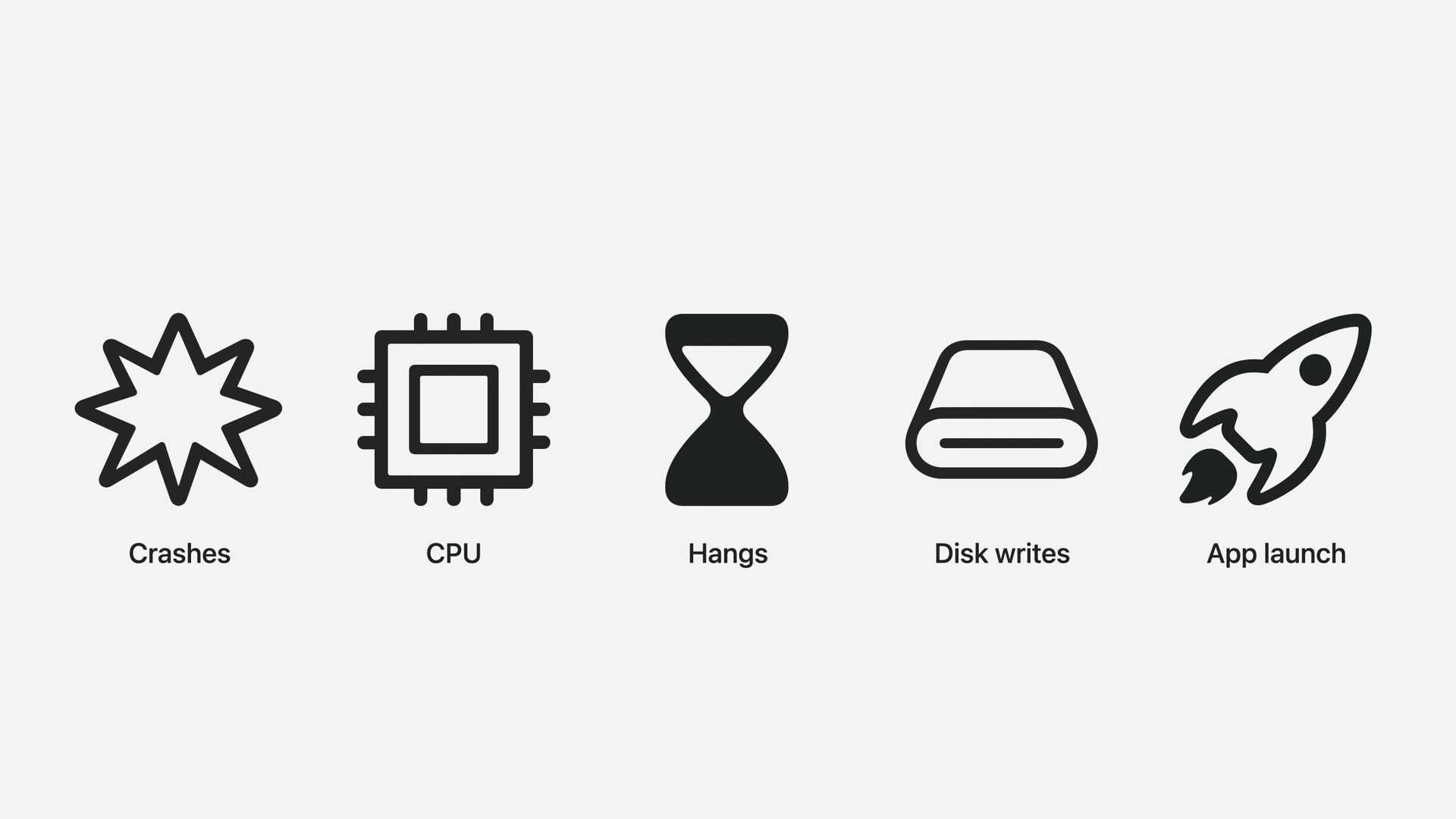
Actionable diagnosticsDiagnosticResult unifies crash, hang, CPU, disk-write, app-launch, and memory-exception diagnostics.
The New App Health Model
MetricKit still answers the same operational question: what happened on real devices when your app was
actually used? The OS 27 change is the shape of that answer. Instead of receiving Objective-C payload
objects through MXMetricManager.shared, you create a MetricManager instance,
keep it alive, and iterate typed async sequences.
Fallback for OS 26
Keep the old subscriber path for older targets. The old API is object-oriented and property-based:
subscribe with MXMetricManager.shared.add(_:), receive MXMetricPayload and
MXDiagnosticPayload, then map only the fields your telemetry pipeline already understands.
import MetricKit

final class LegacyMetricSubscriber: NSObject, MXMetricManagerSubscriber {
    func start() {
        MXMetricManager.shared.add(self)
    }

    func didReceive(_ payloads: [MXMetricPayload]) {
        for payload in payloads {
            exportLegacyMetrics(payload)
        }
    }

    func didReceive(_ payloads: [MXDiagnosticPayload]) {
        for payload in payloads {
            exportLegacyDiagnostics(payload)
        }
    }
}| Area | OS 27 shape | Availability note |
|---|---|---|
| Daily metrics | MetricManager.metricReports yields MetricReport values. |
iOS 27, iPadOS 27, Mac Catalyst 27, macOS 27. |
| Diagnostics | MetricManager.diagnosticReports yields one DiagnosticReport per event. |
iOS 27, iPadOS 27, Mac Catalyst 27, macOS 27, visionOS 27. |
| State context | StateReporting records named domains and metadata for app state transitions. | StateReporting is OS 27 across Apple platforms. |
| Simulator | Real delivery is device-based; Xcode can simulate MetricKit payloads during development. | Xcode 27 tooling. |
Treat the app-side MetricKit stream as local telemetry. Your app receives reports and can log, store, or upload them if your privacy policy allows it. Xcode Organizer and App Store telemetry are separate Apple aggregation surfaces: useful for fleet-level trend spotting, but not a replacement for app-owned triage logic when you need to connect a regression to a feature flag, workflow, or internal release.
1. Subscribe to Reports
The new manager is instantiable. Create one owner during app startup, pass the StateReporting domains you want MetricKit to aggregate by, and keep the tasks alive for the app session.
import Foundation
import MetricKit

protocol MetricSink: Sendable {
    func storeMetricReport(_ report: MetricReport) async
    func storeDiagnosticReport(_ report: DiagnosticReport) async
}

@available(iOS 27, macOS 27, *)
final class AppHealthCollector {
    private let manager: MetricManager
    private let sink: MetricSink
    private var metricTask: Task<Void, Never>?
    private var diagnosticTask: Task<Void, Never>?

    init(sink: MetricSink, stateDomains: Set<StateReportingDomain> = []) {
        self.sink = sink
        self.manager = MetricManager(enabledStateReportingDomains: stateDomains)
    }

    func start() {
        metricTask = Task.detached(priority: .utility) { [manager, sink] in
            for await report in manager.metricReports {
                await sink.storeMetricReport(report)
            }
        }

        diagnosticTask = Task.detached(priority: .utility) { [manager, sink] in
            for await report in manager.diagnosticReports {
                await sink.storeDiagnosticReport(report)
            }
        }
    }

    func stop() {
        metricTask?.cancel()
        diagnosticTask?.cancel()
    }
}
Keep the owner boring. The collector should not decide if a regression is important. Its job is to receive, serialize, and hand off reports to code you can test.
2. Filter What Your Team Cares About
MetricReport has intervalEntries for time-window aggregates, including the
full-day aggregate, and stateEntries when state reporting is enabled. Each entry contains
MetricResult values. The practical pattern is to keep a narrow allow-list, then expand it
when an investigation needs more context.
import Foundation
import MetricKit

@available(iOS 27, macOS 27, *)
func selectedAppHealthMetrics(from entry: MetricReport.IntervalEntry) -> [MetricResult] {
    entry.values.filter { result in
        switch result {
        case .timeToFirstDraw,
             .optimizedTimeToFirstDraw,
             .extendedLaunch,
             .hangTime,
             .hitchTime,
             .scrollHitchTime,
             .peakMemory,
             .cpuTime,
             .gpuTime,
             .logicalDiskWrites,
             .foregroundTermination,
             .backgroundTermination,
             .signpostInterval:
            return true
        @unknown default:
            return false
        }
    }
}
This is deliberately not every metric. Most teams need a small default dashboard: launch, responsiveness, memory, CPU, storage writes, terminations, and a few custom signposts around critical workflows.
3. Convert to a Lightweight Model
The raw reports are Codable and Sendable, so archiving the full payload is easy.
For day-to-day monitoring, also derive a tiny app-owned model with stable keys. That keeps server queries,
alerts, and review comments independent from MetricKit's full JSON shape.
import Foundation
import MetricKit

struct AppHealthSummary: Codable, Sendable {
    var day: DateInterval
    var launchP95MS: Double?
    var optimizedLaunchP95MS: Double?
    var hangP95MS: Double?
    var peakMemoryMB: Double?
    var cpuSeconds: Double?
    var signposts: [SignpostSummary] = []
}

struct SignpostSummary: Codable, Sendable {
    var category: String
    var name: String
    var count: Int
    var p95MS: Double?
    var cpuSeconds: Double?
}

@available(iOS 27, macOS 27, *)
func makeSummary(from report: MetricReport) -> AppHealthSummary {
    let fullDay = report.intervalEntries.fullDayEntry
    var summary = AppHealthSummary(day: report.timeRange)

    for result in selectedAppHealthMetrics(from: fullDay) {
        switch result {
        case .timeToFirstDraw(let metric):
            summary.launchP95MS = percentile(0.95, from: metric.histogram, in: .milliseconds)
        case .optimizedTimeToFirstDraw(let metric):
            summary.optimizedLaunchP95MS = percentile(0.95, from: metric.histogram, in: .milliseconds)
        case .hangTime(let metric):
            summary.hangP95MS = percentile(0.95, from: metric.histogram, in: .milliseconds)
        case .peakMemory(let metric):
            summary.peakMemoryMB = metric.value.converted(to: .megabytes).value
        case .cpuTime(let metric):
            summary.cpuSeconds = metric.value.converted(to: .seconds).value
        case .signpostInterval(let metric):
            summary.signposts.append(
                SignpostSummary(
                    category: metric.signpostCategory,
                    name: metric.signpostName,
                    count: metric.totalCount,
                    p95MS: percentile(0.95, from: metric.signpostDuration, in: .milliseconds),
                    cpuSeconds: metric.cpuTime?.converted(to: .seconds).value
                )
            )
        default:
            break
        }
    }

    return summary
}

@available(iOS 27, macOS 27, *)
func percentile<D: Dimension>(
    _ percentile: Double,
    from histogram: Histogram<D>,
    in unit: D
) -> Double? {
    let total = histogram.buckets.reduce(0) { $0 + $1.count }
    guard total > 0 else { return nil }

    let target = Int((Double(total) * percentile).rounded(.up))
    var runningTotal = 0

    for bucket in histogram.buckets {
        runningTotal += bucket.count
        if runningTotal >= target {
            return bucket.upperBound.converted(to: unit).value
        }
    }

    return histogram.buckets.last?.upperBound.converted(to: unit).value
}
The percentile helper uses the upper bound of the bucket where the percentile lands. That makes it a conservative approximation and avoids pretending the bucket distribution is more precise than MetricKit reports.
4. Print or Export a Compact Report
For local development, print the compact summary and save the full report JSON beside it. In production, upload the compact model by default and sample the full MetricKit payload only when you need deep triage.
import Foundation
import os

actor FileBackedMetricSink: MetricSink {
    private let logger = Logger(subsystem: "com.example.app", category: "AppHealth")
    private let encoder: JSONEncoder = {
        let encoder = JSONEncoder()
        encoder.outputFormatting = [.prettyPrinted, .sortedKeys]
        encoder.dateEncodingStrategy = .iso8601
        return encoder
    }()

    func storeMetricReport(_ report: MetricReport) async {
        let summary = makeSummary(from: report)
        logger.info("MetricKit daily health: \(String(describing: summary), privacy: .public)")

        let fullReportEncoder = JSONEncoder()
        fullReportEncoder.userInfo[MetricReport.encodingFormatKey] =
            MetricReport.EncodingFormat.byStateReportingDomain

        exportJSON(summary, name: "daily-health-summary.json")
        exportJSON(report, name: "metrickit-report.json", encoder: fullReportEncoder)
    }

    func storeDiagnosticReport(_ report: DiagnosticReport) async {
        logger.error("MetricKit diagnostic: \(String(describing: report.result), privacy: .public)")
        exportJSON(report, name: "metrickit-diagnostic.json")
    }

    private func exportJSON<Value: Encodable>(
        _ value: Value,
        name: String,
        encoder: JSONEncoder? = nil
    ) {
        let encoder = encoder ?? self.encoder
        guard let data = try? encoder.encode(value) else { return }
        let directory = URL.documentsDirectory.appending(
            path: "AppHealth",
            directoryHint: .isDirectory
        )
        try? FileManager.default.createDirectory(
            at: directory,
            withIntermediateDirectories: true
        )
        try? data.write(to: directory.appending(path: name))
    }
}
Illustrative console output
AppHealth day=2026-06-14
  launch.p95_ms=712 optimized_launch.p95_ms=418
  hang.p95_ms=260 peak_memory_mb=642 cpu_seconds=189.4
  signpost DocumentCapture/ReceiptScan count=38 p95_ms=1240 cpu_seconds=8.7
Illustrative JSON summary
{
  "day": {
    "start": "2026-06-14T00:00:00Z",
    "duration": 86400
  },
  "launchP95MS": 712,
  "optimizedLaunchP95MS": 418,
  "hangP95MS": 260,
  "peakMemoryMB": 642,
  "cpuSeconds": 189.4,
  "signposts": [
    {
      "category": "DocumentCapture",
      "name": "ReceiptScan",
      "count": 38,
      "p95MS": 1240,
      "cpuSeconds": 8.7
    }
  ]
}
StateReporting Makes Metrics Useful
The biggest practical upgrade is state context. StateReporting lets you define domains such as workflow,
experiment variant, graphics quality, account mode, or editor surface. MetricKit can then populate
stateEntries with scoped metrics and include active states on diagnostic reports.
import MetricKit
import StateReporting

enum AppHealthDomains {
    static let workflow = StateReportingDomain("com.example.app.workflow")
}

@ReportableMetadata
struct WorkflowMetadata: Sendable {
    let screen: String
    let accountTier: String
    let experiment: String
}

@ReportableMetadata
struct NoVolatileMetadata: Sendable {}

@available(iOS 27, macOS 27, *)
let workflowReporter = StateReporter.reporter(
    for: AppHealthDomains.workflow.rawValue,
    stableMetadata: WorkflowMetadata.self,
    volatileMetadata: NoVolatileMetadata.self
)

@available(iOS 27, macOS 27, *)
func reportWorkflow(screen: String, accountTier: String, experiment: String) {
    workflowReporter.reportTransition(
        to: screen,
        stableMetadata: WorkflowMetadata(
            screen: screen,
            accountTier: accountTier,
            experiment: experiment
        ),
        volatileMetadata: nil
    )
}
Use state sparingly. Apple documents that state updates more frequent than user-interaction timescales can be rate limited, so report coarse transitions: selected tab, current editor, checkout phase, rendering mode, or experiment variant. Do not report a new state for every scroll event or every model update.
Illustrative markdown report generated from state entries
## Daily App Health - 2026-06-14

| State | Launch p95 | Hang p95 | Scroll hitch p95 | Peak memory |
| --- | ---: | ---: | ---: | ---: |
| Reports / premium / list-v2 | 690 ms | 180 ms | 14 ms | 612 MB |
| Spending / premium / card-v2 | 735 ms | 840 ms | 31 ms | 648 MB |

Action: investigate Spending card-v2. Hangs and scroll hitches moved together after the layout experiment.
5. Turn Diagnostics Into Action Items
DiagnosticReport is event-oriented. Each report has a result enum that carries a
typed diagnostic. Crash and memory diagnostics include call stack trees. Crash diagnostics also expose
exception and termination details. Hang diagnostics are sampled: do not assume every hang becomes a report.
import MetricKit

struct DebuggingAction: Sendable {
    var title: String
    var ownerHint: String
    var evidence: String
}

@available(iOS 27, macOS 27, *)
func actionItem(from report: DiagnosticReport) -> DebuggingAction? {
    switch report.result {
    case .crash(let diagnostic):
        return DebuggingAction(
            title: "Investigate crash termination",
            ownerHint: "Runtime stability",
            evidence: [
                diagnostic.terminationReason.map { "reason=\($0)" },
                diagnostic.signal.map { "signal=\($0)" },
                diagnostic.exceptionType.map { "exception=\($0)" }
            ].compactMap { $0 }.joined(separator: " ")
        )

    case .hang(let diagnostic):
        return DebuggingAction(
            title: "Profile main-thread responsiveness",
            ownerHint: "UI performance",
            evidence: "Call stack tree captured for hang diagnostic: \(diagnostic.callStackTree)"
        )

    case .appLaunch(let diagnostic):
        return DebuggingAction(
            title: "Profile app launch path",
            ownerHint: "Startup",
            evidence: "Launch diagnostic: \(diagnostic)"
        )

    case .memoryException(let diagnostic):
        return DebuggingAction(
            title: "Investigate fatal memory exception",
            ownerHint: "Memory",
            evidence: "Call stack tree: \(diagnostic.callStackTree)"
        )

    case .cpuException, .diskWriteException:
        return DebuggingAction(
            title: "Inspect diagnostic report",
            ownerHint: "Performance",
            evidence: String(describing: report.result)
        )

    @unknown default:
        return nil
    }
}
Illustrative triage output
[MetricKit Diagnostic]
kind: hang
state: Spending / premium / card-v2
firstSeen: 2026-06-14T16:22:09Z
action: Profile main-thread responsiveness in Spending card layout.
next step: reproduce in Instruments with Points of Interest and StateReporting transitions visible.
This is where MetricKit and Instruments meet. MetricKit tells you the issue exists on real devices and gives you state and stack context. Instruments is still where you reproduce, profile, and verify the fix.
Metric Areas Worth Wiring Up
Launch and Resume
TimeToFirstDrawMetric measures launch time until the first Core Animation commit.
OptimizedTimeToFirstDrawMetric, ApplicationResumeTimeMetric, and
ExtendedLaunchMetric help split startup into visible launch, optimized launch, resume,
and app-defined launch tasks.
let manager = MetricManager(
    enabledStateReportingDomains: [AppHealthDomains.workflow]
)

let mainStore = try await manager.trackLaunchTask(
    id: LaunchTaskID("open-main-store"),
    onTrackingError: { error in
        assertionFailure("MetricKit launch tracking failed: \(error)")
    }
) {
    try await MainStore.open()
}
Keep launch task identifiers stable and specific: open-main-store, hydrate-cache,
register-models. Avoid names like startup, which are too broad to assign.
Hangs, Hitches, and Scrolling
HangTimeMetric is app responsiveness. HitchTimeMetric is animation
responsiveness. ScrollHitchTimeMetric narrows that lens to scrolling. These are the metrics
most likely to change when a feature ships heavy layout, synchronous I/O, or expensive model observation.
For state-aware reports, hang, hitch, scroll hitch, termination counts, signpost intervals, and app runtime
metrics can appear in stateEntries. CPU time, memory, network, disk I/O, GPU, app launch, and
disk-space metrics stay in interval entries.
CPU, Memory, Storage, Network, GPU
The new result enum keeps resource metrics in the same loop as launch and responsiveness. Watch
CPUTimeMetric, CPUInstructionsCountMetric, PeakMemoryMetric,
SuspendedMemoryMetric, LogicalDiskWritesMetric, total network transfer metrics,
GPUTimeMetric, and MetalFrameRateMetric when your app has heavy content feeds,
media processing, games, ML inference, or persistent document editing.
MetalFrameRateMetric is especially useful for games and custom renderers because it measures
frame rate statistics for a specific CAMetalLayer. Use it alongside GPU time and signpost
intervals so a frame-rate drop can be tied back to a renderer phase or gameplay mode.
Custom Signposts
Signpost intervals are still the bridge from system metrics to product workflows. In OS 27, create the log
handle with MetricManager.logHandle(category:), wrap operations with mxSignpost,
and read SignpostIntervalMetric for count, duration histogram, CPU time, average memory,
logical writes, and hitch-related measurements.
import MetricKit

let documentCaptureLog = MetricManager.logHandle(category: "DocumentCapture")

func scanReceipt() async throws -> Receipt {
    mxSignpost(.begin, log: documentCaptureLog, name: "ReceiptScan")
    defer {
        mxSignpost(.end, log: documentCaptureLog, name: "ReceiptScan")
    }

    return try await receiptScanner.scan()
}
Redact Before Export
MetricKit data is performance telemetry, not user analytics, but your own StateReporting metadata and signpost names can still leak implementation detail or customer context. Keep domains reverse-DNS style, use coarse metadata values, and strip anything that looks like a user identifier before upload.
struct MetricRedactor {
    private let blockedKeys = ["email", "userID", "accountID", "documentID", "receiptID"]

    func redactedMetadata(_ metadata: [String: String]) -> [String: String] {
        metadata.reduce(into: [:]) { output, pair in
            if blockedKeys.contains(pair.key) {
                output[pair.key] = "<redacted>"
            } else {
                output[pair.key] = pair.value
            }
        }
    }
}
Adoption Checklist
MetricManager owner.
Start the metric and diagnostic async sequences during app startup and forward reports to a testable sink.
Sources
- Apple Developer: Meet the new MetricKit
- Apple Developer Documentation: MetricKit
- Apple Developer Documentation: MetricManager
- Apple Developer Documentation: MetricReport
- Apple Developer Documentation: DiagnosticReport
- Apple Developer Documentation: StateReporting
- Apple Developer Sample: Track performance by app state using MetricKit
- Apple Developer Documentation: Improving your app's performance